Udhaar Khata App for Shops: How Dukaan POS Tracks Customer Credit and Gets It Paid Back
By Muhammad Waqas · · 7 min read
Udhaar keeps a neighbourhood shop alive. Regular customers take what they need today and settle at the end of the month, and that trust is why they keep coming back. It is also where shops quietly lose the most money: entries that never got written, arguments about what was taken, and small debts that slowly turn into money nobody expects to see again.
When I built Dukaan POS, udhaar was the first feature I planned around, because it is the one Pakistani shopkeepers ask for most. This post explains how it works as an udhaar khata app inside a full point of sale, and why each part is designed the way it is.
What goes wrong with a paper udhaar register
A register works well until the shop gets busy. These are the problems that come up again and again:
- Missed entries. During the evening rush, a credit sale is handed over and never written down.
- Disputes. "Maine itna nahi liya" is almost always an argument about what was taken, not about the total, and a register rarely lists the items.
- No idea who to chase. The register tells you what one person owes. It does not tell you who to call today.
- Credit creeps up unnoticed. Nobody checks the balance before handing over more goods, so it only becomes a problem at the end of the month.
Standalone khata apps solve part of this, but they sit outside the sale. The shopkeeper still has to make the bill, then open a second app and type the amount again. Every double entry is another chance to miss one.
Credit starts at the counter, not in a second app
In Dukaan POS, credit is simply a payment method, next to cash and card. When the cashier chooses Credit, the payment screen asks who is taking the bill, with a search by name or phone. The bill is saved against that customer and appears on their statement straight away, with every item on it. There is nothing to copy across.
The balance is never typed in or stored as a single number. It is always worked out from the customer's credit bills minus what they have paid. That sounds like a small technical detail, but it is why the balance can never drift away from the history. If a credit bill is refunded, it drops off the statement and the balance goes down with it.
The Udhaar section opens with the total the shop is owed, then every customer with their balance. Opening a customer shows what they owe, their full statement, and a Receive payment button.
A warning before more credit is given
The best moment to decide on credit is before the goods leave the counter, not at the end of the month. As soon as a customer is picked on the payment screen, Dukaan POS shows three things: what they already owe, how long it has been since they last paid anything, and where this bill would leave them.
Each customer can also have an optional credit limit. Most shops leave it blank. If a bill would take someone past their limit, the box is highlighted and says by how much.
The warning never blocks the sale. The confirm button always works. Whether to trust a customer is the shopkeeper's decision, and a POS that refused a sale would be the first thing a shop uninstalls. Someone who owes nothing and has no limit sees no warning at all.
Part payments, full payments and paying ahead
When a customer comes to pay, Receive payment fills in the full outstanding amount by default, because that is what usually gets paid. The cashier can change it for a part payment, choose cash or card, and add a note. Every payment goes onto the statement with the balance after it.
If a customer pays more than they owe, the extra is not lost or hidden. Their account shows in credit, so the next purchase can come off it. That credit is not netted off the total other customers owe the shop, so the total owed stays honest.
Statements that end arguments
A customer's page has a Send statement button. It builds the whole account as one sheet: the shop's name, the customer's name and the date, then every credit bill with its items, every payment with how it was paid, a running balance, and the amount still due.
The items are the point. When a customer says they did not take that much, a picture showing the rice and the sugar on each date settles it without anyone having to be believed.
On Android the statement goes out through the phone's share menu, so WhatsApp, SMS or any other app is one tap away. On a Windows or Mac computer it is saved as a picture in the Documents folder and copied, ready to paste into a chat.
The chase list: who to call today
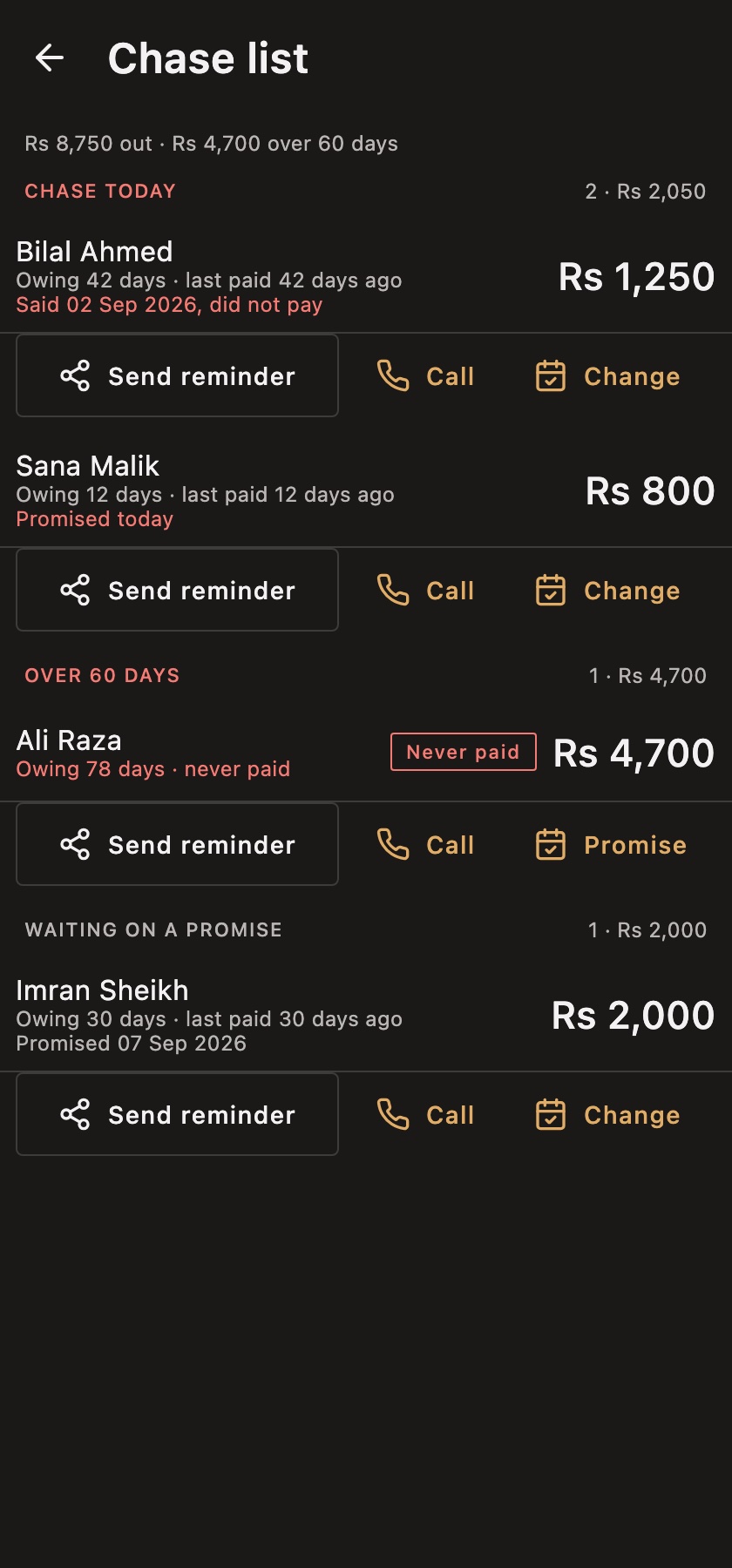
Knowing what everyone owes still does not tell you where to start. The chase list (wasooli) does. It groups debts the way shopkeepers already talk about them: over 60 days, 31 to 60 days and up to 30 days, oldest group first and the largest amount first inside each group.
Age comes before size on purpose. A small debt that is three months old is money a shopkeeper has quietly stopped expecting. A large one from last week is usually fine. The age is counted from the oldest bill that has not been covered yet, so a part payment genuinely makes a debt younger. Anyone who has never paid anything gets a red Never paid tag.
Send reminder and Call
Each row has two actions. Send reminder shares the customer's own itemised statement. Call opens the phone's dialler with their number already typed in. The app never places a call by itself, because an app that rings people on its own is not one you would trust with your customer list.
Promised dates
A chase call usually ends with a promise: "Thursday ko de dunga." Dukaan POS lets you write that date down from the list itself. Until the date arrives, the customer moves to Waiting on a promise and off today's list. On the day, they come back as Promised today, and if the day passes without payment, the row says so.
The list also updates live. If a customer pays on their own page, their name leaves the chase list immediately, because the only thing worse than not calling someone is calling someone who has already paid.
Udhaar in your monthly reports
The Reports screen answers five questions, and one of them is "Who is costing me?": the five largest debts, each with how long since that customer last paid. At the end of each day, the day close also records how much udhaar was received, so you can see whether credit is coming back or only going out.
If you run more than one shop, each branch keeps its own customers and its own ledger, and the owner sees each branch's total owed on the multi-branch dashboard.
Works offline and in Urdu
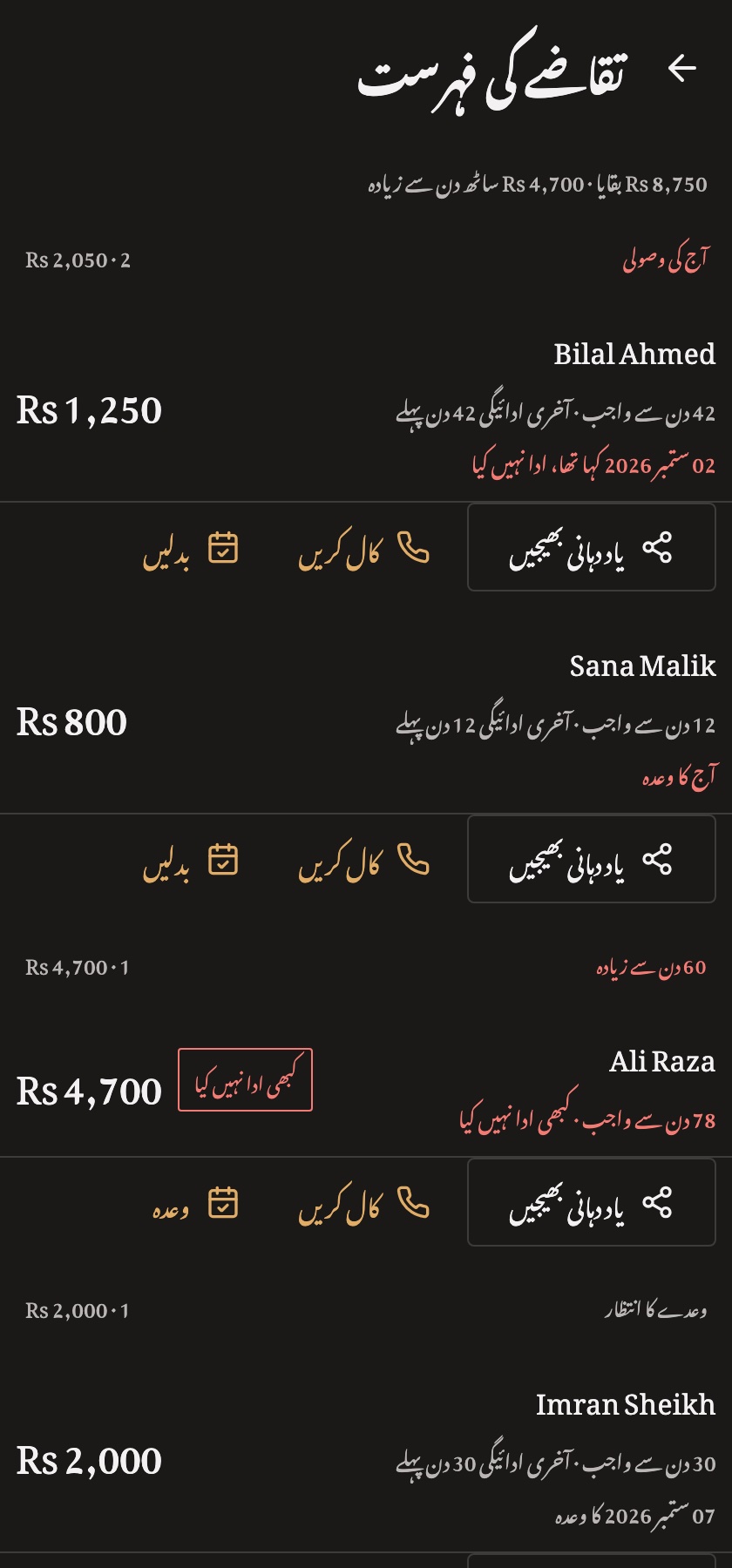
Everything above works with no internet, because the ledger lives on the shop's own device. The whole app, including the udhaar screens, is available in Urdu with a proper right-to-left layout, and the cashier can switch language at any time. You can see the Urdu experience on the Dukaan POS Urdu site.
Frequently asked questions
Can Dukaan POS replace my udhaar register?
Yes. Every credit sale goes onto the customer's account automatically, balances add themselves up, and you can take part payments, record promised dates and send statements. The feature list is also on the udhaar khata app page.
Can I send an udhaar reminder on WhatsApp?
Yes. Send reminder shares an itemised statement as a picture, and on Android WhatsApp is one tap away in the share menu.
Will the app stop me from giving credit?
No. It warns you when a customer already owes a lot or would go past their limit, but the decision is always yours.
Does it work without the internet?
Yes. After the one-time sign-in, credit sales, payments, statements and the chase list all work offline.
Summary
Good udhaar software is not about recording debts. It is about getting them paid back without damaging the relationship with a regular customer. Recording credit at the counter, warning before it grows, proving what was taken, and showing who to call today is how Dukaan POS approaches it.
For the bigger picture, read how to choose POS software in Pakistan, or see how the other side of the ledger works in the supplier ledger guide. You can try all of this in the live demo.
Looking for personal udhaar instead? For splitting money with friends, roommates or family rather than running a shop, see Shared Khata, a split expenses app.
Dukaan POS is built with Kotlin Multiplatform, so one codebase runs on Android, iPhone, Windows, macOS, Linux and the web. If you want an app built the same way, get in touch.