POS Software in Pakistan: How to Choose One for Your Shop, and Why I Built Dukaan POS
By Muhammad Waqas · · 9 min read
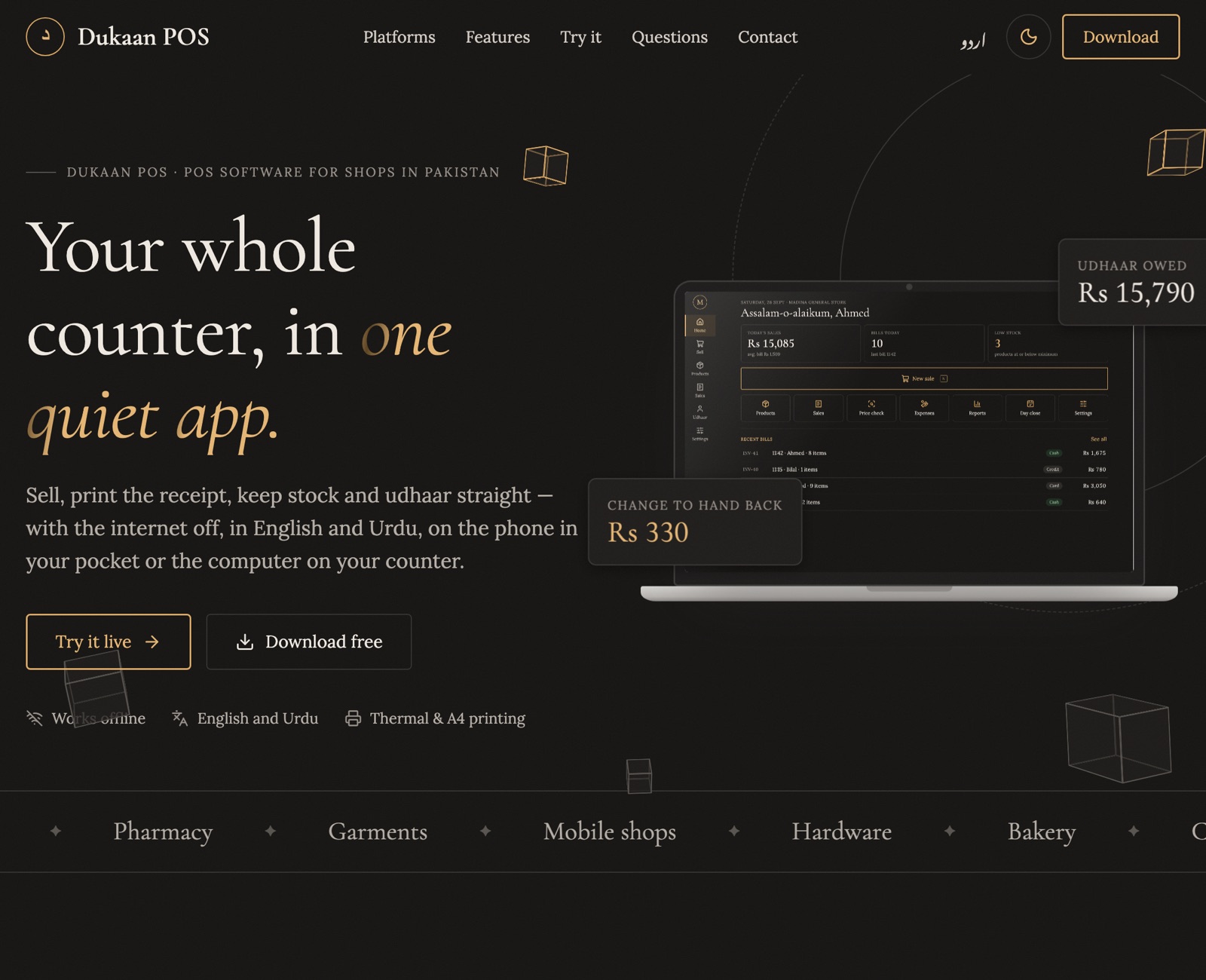
Walk into almost any kiryana store in Pakistan and you will find the same setup: a calculator, a thick register for udhaar, and a shopkeeper who remembers far more than any notebook could. It works, until it doesn't. A page gets lost, a customer disputes what they owe, or the owner simply has no idea whether the shop made money this month.
POS software in Pakistan (point of sale software) promises to fix this, but most options were not built for how a Pakistani shop actually runs. I am a mobile app developer from Lahore, and I built Dukaan POS, a billing and udhaar app for small shops. Along the way I learned what matters and what is just a nice feature list.
This guide covers what to look for in any POS software, how Dukaan POS handles each point, and, just as important, what it does not do yet. I built it, so weigh my opinion with that in mind. I have tried to make the checklist useful even if you choose something else.
What is POS software, and do you need one?
POS software is the program you use at the counter to make a bill. At minimum it adds up items, takes payment and prints or shares a receipt. Good POS software also keeps your stock count, your customer credit and your daily sales in one place, so the numbers add up without extra work.
It is worth clearing up a common confusion. In Pakistan, a POS machine usually means the card machine your bank gives you for debit and credit card payments. That machine only takes payments. POS software is the whole billing system, and it can run on a phone, a tablet or the computer you already have on the counter.
You probably need POS software if any of these sound familiar:
- You cannot say, without a long calculation, how much profit the shop made last month.
- Udhaar is spread across a register, loose slips and memory, and customers argue about balances.
- You find out an item is out of stock when a customer asks for it.
- More than one person works the counter, and cash in the drawer does not always match sales.
What to look for in POS software in Pakistan
Most comparison lists focus on the number of features. For a small shop, these eight points matter far more.
1. It works without the internet
Load-shedding and patchy mobile data are part of daily life. If your billing stops when the internet drops, customers wait and sales get written on paper anyway. Look for offline POS software that stores everything on your own device and never needs a connection to make a sale.
2. Udhaar is built in, not bolted on
Credit is how many neighbourhood shops keep loyal customers. Separate khata apps only record balances; they do not know what was sold. Good POS software adds a credit sale straight to the customer's account, takes part payments and shows who owes what without a separate app.
3. Stock updates itself
Every sale should take items off the shelf count automatically. You should also be able to record deliveries, damaged goods and stock counts, and get a warning before something runs out.
4. Urdu that is actually readable
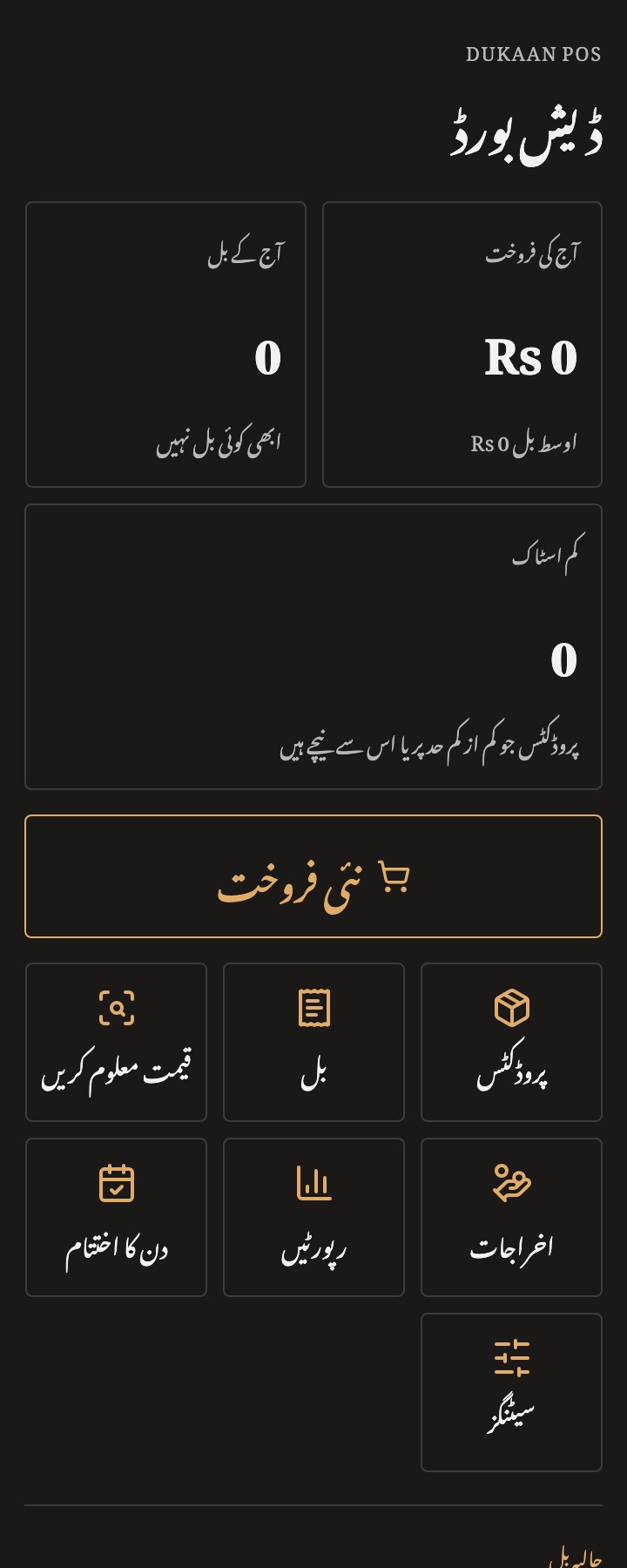
Many cashiers read Urdu more comfortably than English. "Urdu support" often means a few translated buttons in the wrong direction. Check for a full right-to-left layout and proper Nastaliq text on every screen, including receipts.
5. Receipts on printers you can buy locally
The common counter printers in Pakistan are 58 mm and 80 mm thermal printers. Make sure the software supports your connection type, whether Bluetooth, USB or serial, and can share a receipt as a picture on WhatsApp when there is no printer.
6. It runs on devices you already own
You should not need to buy a special terminal. A good POS system for small business runs on an Android phone, a tablet or an ordinary Windows computer.
7. Your data stays yours
Your sales and udhaar records are your business. Check where the data is stored and whether you can take a full backup and restore it on another device.
8. Honest pricing
Searches for free POS software in Pakistan and POS software price in Pakistan are common for a reason. Ask what you pay today, what you pay next year, and whether updates are included. One-time software that never gets updated can end up costing more than it saves.
Why I built Dukaan POS
Most small shops run on one of three things: paper, a khata app that only tracks balances, or old one-time-purchase Windows billing software that had not been updated in years. Newer online systems looked better, but many stopped working without the internet.
So I set a few rules before writing any code. The app must work fully offline. It must be complete in English and Urdu. And the sell screen must be fast, because it is used hundreds of times a day. My target was a five-item sale in under twenty seconds.
I built it with Kotlin and Compose Multiplatform, so one codebase runs on Android, iPhone, Windows, macOS, Linux and the web. If you are a developer or a business looking for a Kotlin Multiplatform developer, the technical decisions are in the Dukaan POS case study.
How Dukaan POS handles a shop's day
Here is what a normal day looks like in the app, from the first sale to closing the drawer.
Selling and billing
Add items by tapping, searching or scanning a barcode. A counter barcode gun works on every platform, and on Android the phone camera can scan too (how barcode scanning works). Loose goods like sugar or rice sell by weight, and you can give a discount on a line or on the whole bill. If a customer steps away to fetch one more item, hold the bill and serve the next person; up to ten bills can wait at once.
Payment can be cash, card or credit. For cash, the app shows the change to hand back so the cashier does not have to work it out. If a customer wants one more item after paying, the bill can be edited after payment under the same number.
Udhaar without the register
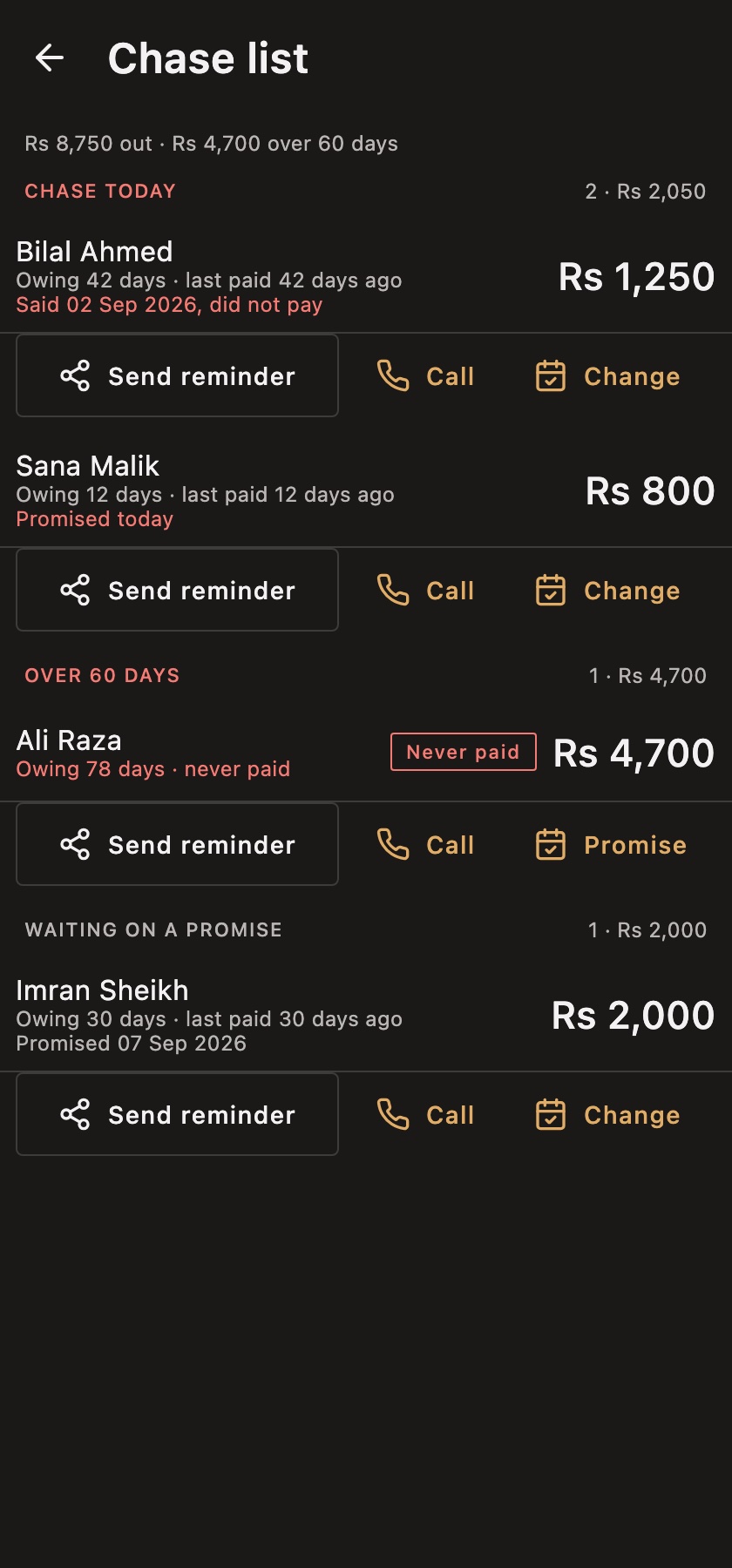
Sell on credit at the counter and the bill goes onto the customer's account automatically. The app warns you before giving more credit to someone who already owes a lot, but it never blocks the sale; that decision stays with you. You can take part payments, note the day a customer promised to pay, and send a statement on WhatsApp. A chase list ranks who to follow up with first. I explain the whole flow in how Dukaan POS works as an udhaar khata app.
Stock, suppliers and expenses
Every sale reduces stock. Record deliveries from suppliers (see the supplier ledger guide), damaged items and stock counts, and get low-stock alerts. Pharmacies can track batches and expiry dates, so the oldest stock sells first. If you already have a product list in a spreadsheet, you can import it instead of typing everything again. Daily expenses such as rent, electricity and wages are recorded too.
Closing the day and reports
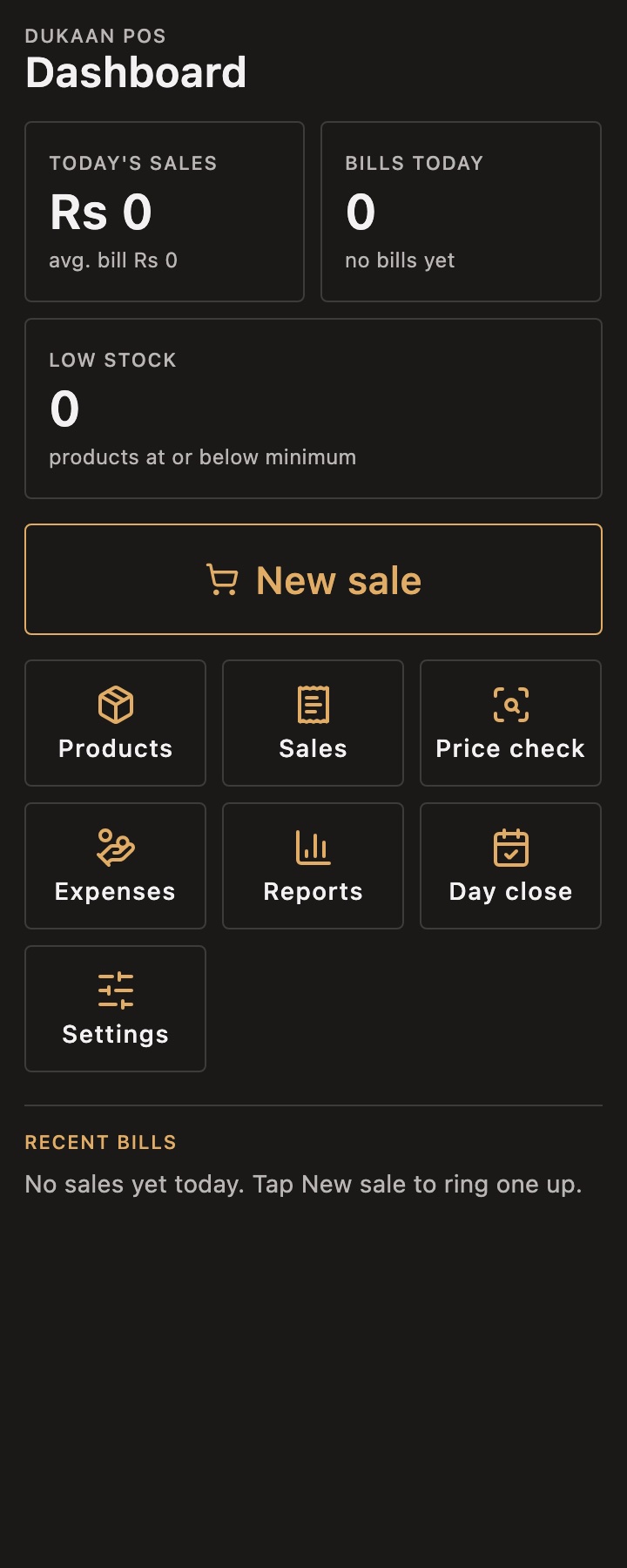
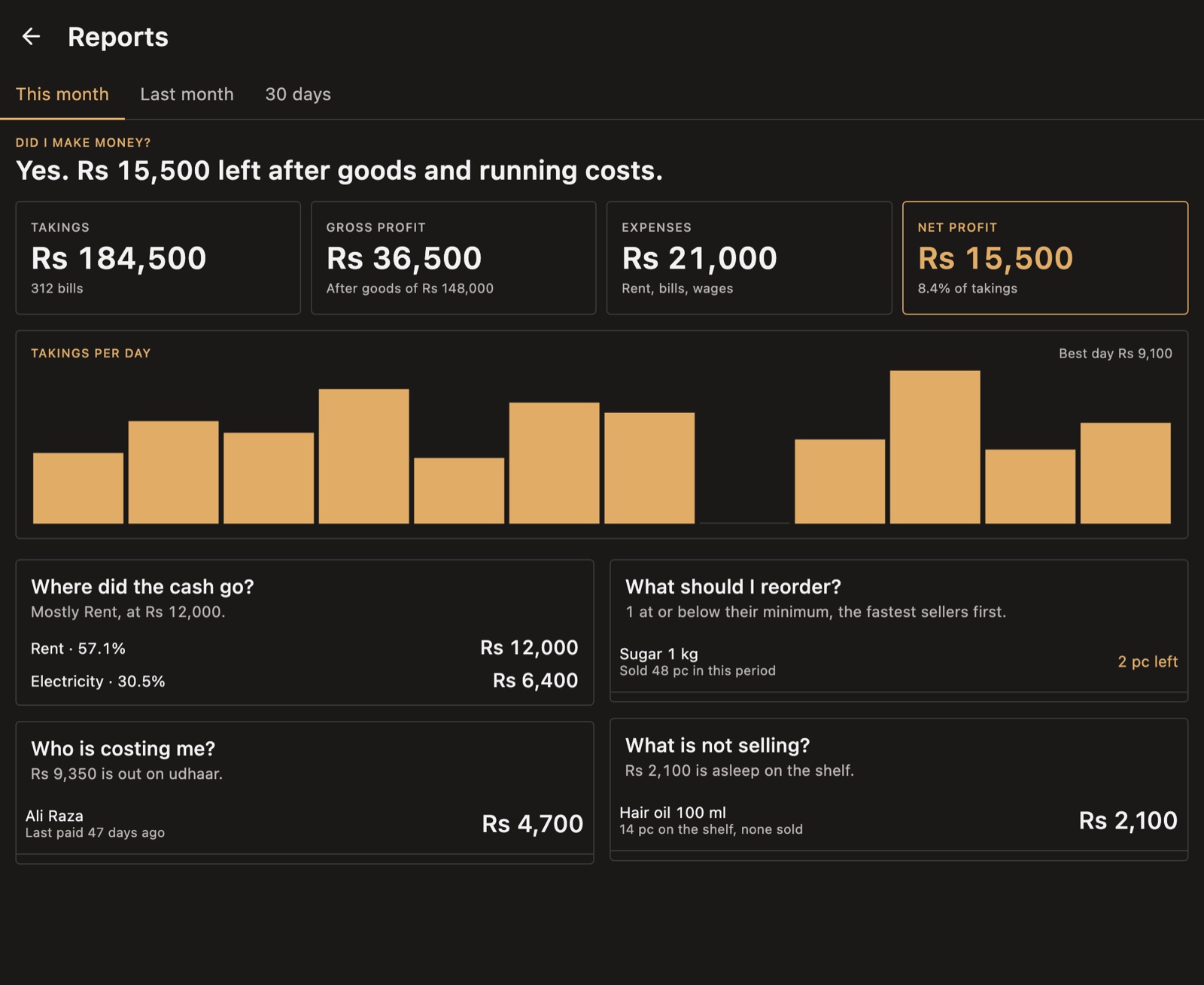
At the end of the day, count the drawer and the app tells you whether it is short or over. Reports answer the questions a shopkeeper actually asks, such as "Did I make money?", "Where did the cash go?" and "What should I reorder?", instead of showing a wall of charts.
Cashiers and receipts
Each cashier unlocks the app with their own PIN, and the owner decides who can give discounts or refunds. Every bill records who rang it up. Receipts print on 58 mm and 80 mm thermal printers over Bluetooth on Android, or over USB and serial on a computer, and A4 office printers work too. Urdu receipts print correctly because the receipt is sent to the printer as a picture, so the printer does not need an Urdu font.
Which shops is Dukaan POS for?
It is designed for any counter that sells, gives credit and keeps stock:
- Kiryana and general stores, with weighed goods, fast billing and heavy udhaar. See software for kiryana stores.
- Pharmacies and medical stores, with batch and expiry tracking. See pharmacy POS software.
- Garment, mobile and hardware shops, where stock and supplier credit matter most.
- Bakeries and stationery shops, where quick sales and simple reports save time.
If you mainly want billing software for a retail shop on a Windows computer, the billing software guide covers the desktop setup.
What Dukaan POS does not do yet
Every product has limits, and you should know them before you rely on it.
- No FBR integration yet. Tier-1 retailers in Pakistan are legally required to connect their POS to FBR's system. Dukaan POS is built for small shops that are not, so if you are a Tier-1 retailer, it is not the right choice today.
- Branches share a product list, not live stock. A shop with several branches can manage one product list and see each branch's daily totals (how multi-branch sync works), but branches do not see each other's live stock or individual bills.
- iPhone is basic for now. It runs and keeps your data, but printing, sharing and backup are Android and desktop features today.
- The web version is only a demo. It is for trying the app in a browser and does not save anything after you close the tab.
- It is new. The app is feature-complete and covered by hundreds of automated tests, but it has not yet been used in a real shop. I am looking for shopkeepers to try it and tell me what breaks.
How to get started
- Try it first. Open the live demo in your browser. There is nothing to install.
- Install it. Download Dukaan POS for Android, Windows, macOS or Linux. The download is free; using it at the counter is a subscription of Rs 1,500 a month or Rs 12,000 a year.
- Sign in and set up your shop. This one step needs the internet. Enter your shop's name and choose English or Urdu; you can switch language any time from Settings.
- Add your products. Type them in, start from a suggested product list, or import a spreadsheet.
- Connect a printer. Pair a Bluetooth thermal printer on Android or plug in a USB printer on a computer, then print a test receipt.
Prefer reading in Urdu? The Dukaan POS website is also available in Urdu.
Frequently asked questions
What is the best POS software in Pakistan for a small shop?
The best choice is the one that fits how your shop works. For most small shops that means offline billing, built-in udhaar, automatic stock and a proper Urdu interface. Use the checklist above to compare any options you are considering.
Is there free POS software in Pakistan?
There are free options, but check what you give up: updates, support and where your data goes. Dukaan POS is not free: it costs Rs 1,500 a month or Rs 12,000 a year. You can try the full app in the live demo before paying anything.
Can POS software work without the internet?
Offline POS software can. Dukaan POS needs the internet once, to sign in. After that it makes sales, prints receipts, and updates stock and udhaar with no internet at all, because everything is stored on your device.
What is the difference between a POS machine and POS software?
A POS machine is the card payment terminal your bank provides. POS software is the billing system that records what was sold, to whom, and for how much. Many shops use both.
Can I run POS software on my phone?
Yes. Dukaan POS runs on Android phones and tablets, including printing to a Bluetooth thermal printer, and the same app runs on a Windows computer at the counter.
Final thoughts
Good POS software should feel like a faster, tidier version of how you already run your shop, not a new job to learn. Start with the basics: offline billing, udhaar, stock and Urdu. Then choose the tool that handles them best.
If you try Dukaan POS, I would genuinely like to hear what works and what does not. And if you are planning an app of your own, I build mobile apps for Android and iOS; get in touch.