Split Expenses With Friends and Family: How Shared Khata Keeps Everyone's Hisaab Clear
By Muhammad Waqas · · 5 min read
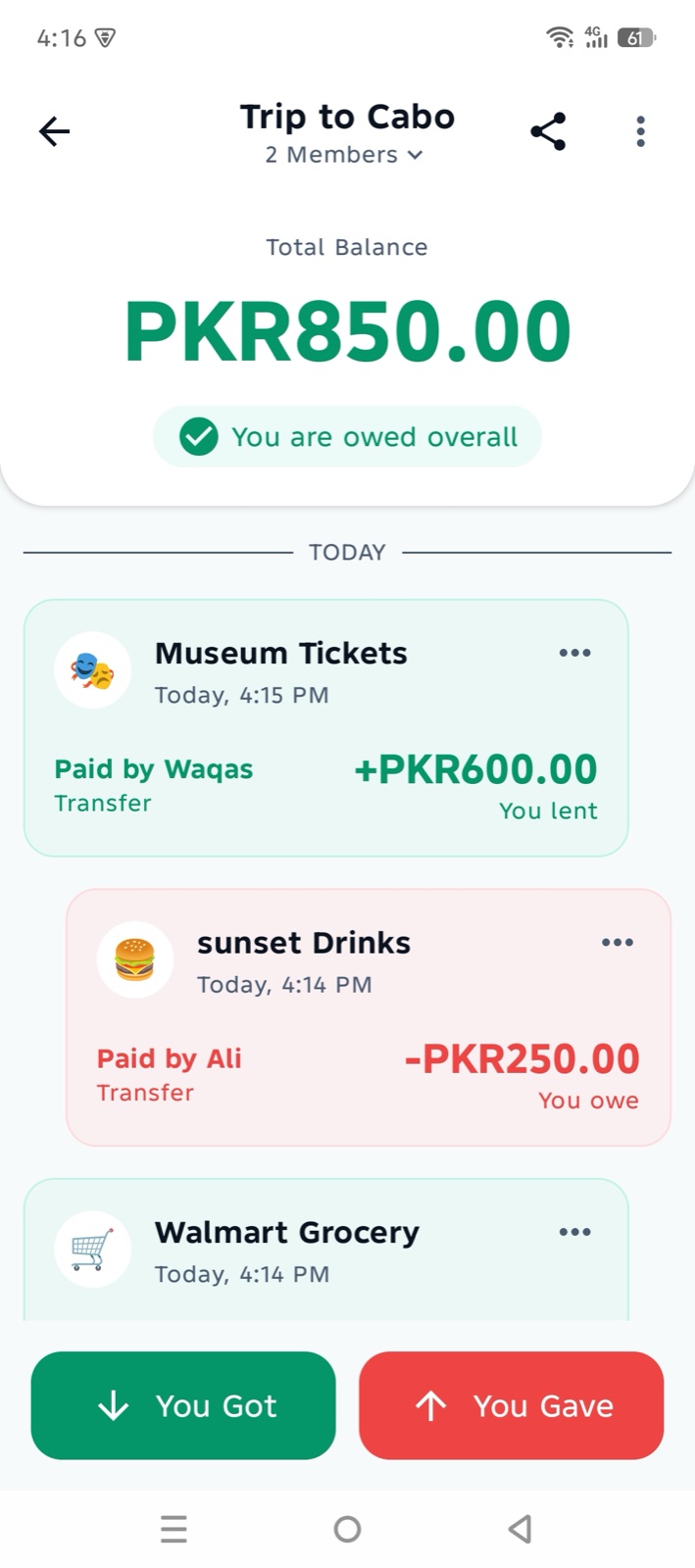
Every group has the same conversation. After a trip to the northern areas, a month of shared flat bills, or a week of office lunches, someone opens the calculator and asks: "Who paid for what, and who still owes whom?" Then come the screenshots, the long WhatsApp threads, and the friend who is sure they already paid.
I built Shared Khata to end that conversation. It is a split expenses app where everyone in the group shares one khata and sees the same balance. This post explains how it works, what it does today, and what is coming next.
Why splitting money with friends gets messy
- Everyone keeps their own record. One person has a notes app, another has a chat history, and the totals never quite match.
- Small amounts add up. A few hundred rupees here and there is easy to forget, until it becomes a few thousand.
- Nobody wants to be the one asking. Reminding a friend about money feels awkward, so balances stay open for months.
- Repayments get lost. When someone pays back in cash or by bank transfer, there is often no record at all.
A spreadsheet can fix some of this, but only if one person maintains it and everyone trusts it. What a group really needs is one shared record that updates for everyone at once.
What Shared Khata does
Shared Khata is a shared expense tracker built around the idea of a khata that belongs to the whole group, not to one person. You create a khata for anything: a trip, a flat, a hostel mess, a family event or office chai. Each expense records who paid, how much, and who it was split with, and the app works out the balance for you.
The home screen shows your total balance across every khata, and each khata shows whether you will receive or will pay. When everything is cleared, the khata shows as Settled.
How it works, step by step
- Sign in with your phone number or your Google account.
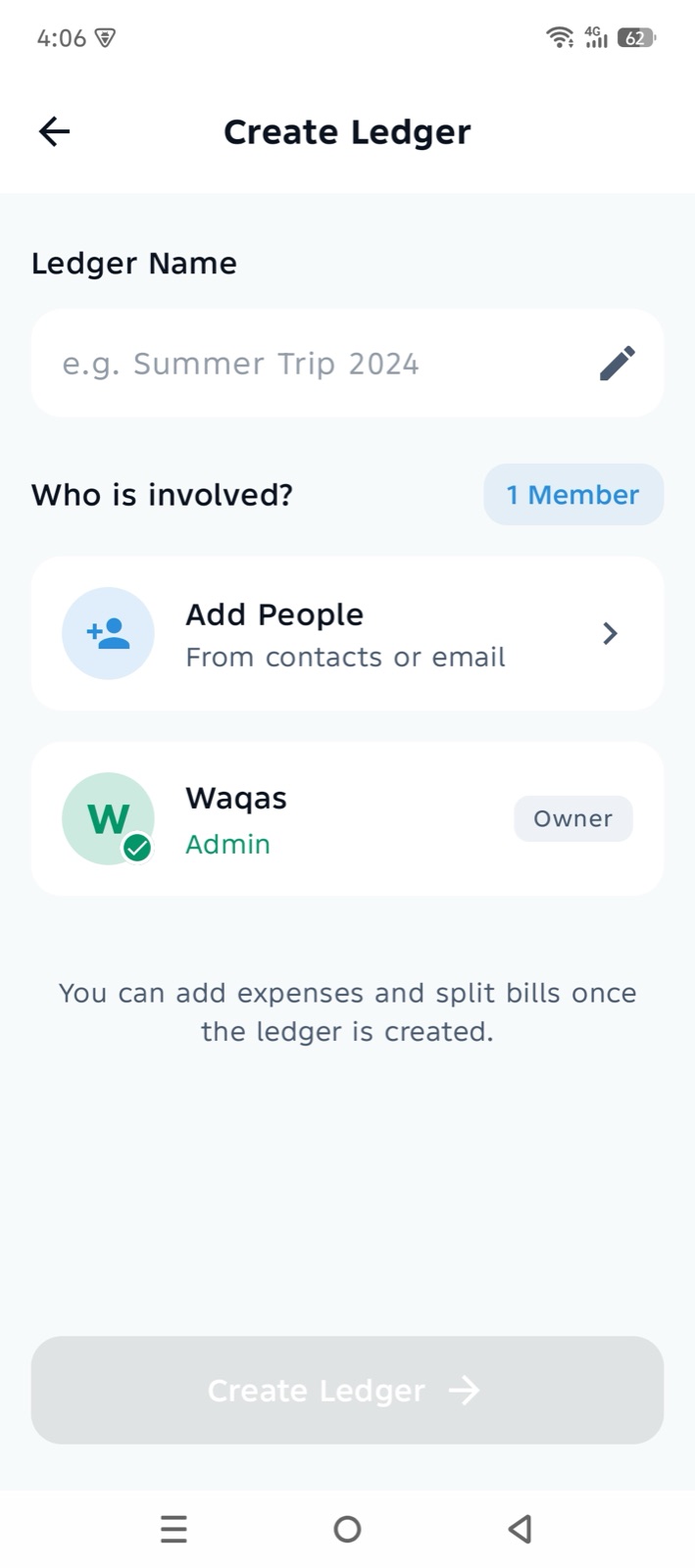
- Create a khata. Give it a name such as "Naran Trip" or "Flat Bills", and add a cover photo if you like.
- Add people from your contacts, or type a name and phone number. Shared Khata creates an invite link you can send on WhatsApp or any other app.
- Your friends tap the link to join the khata. If they do not have the app yet, the link takes them to Google Play first.
- Add an expense. Enter the amount, who paid, a title, the date and a category, then choose who shares it: everyone, or only the people involved. It is split equally between them.
- Record repayments as a Transfer when someone pays you back, so the balance goes down for everyone.
Categories that match real life
Every expense can have a category: Food, Groceries, Shopping, Transport, Entertainment, Medicine, Rent, Utilities or Other. Categories make a long khata easy to scan, especially for roommates splitting rent, electricity, gas and internet bills.
Everyone sees the same hisaab
This is the part that ends arguments. Every member of a khata sees exactly the same list of expenses and the same balance. When someone adds or changes an entry, the others get a notification with the amount and currency, so nobody is surprised later.
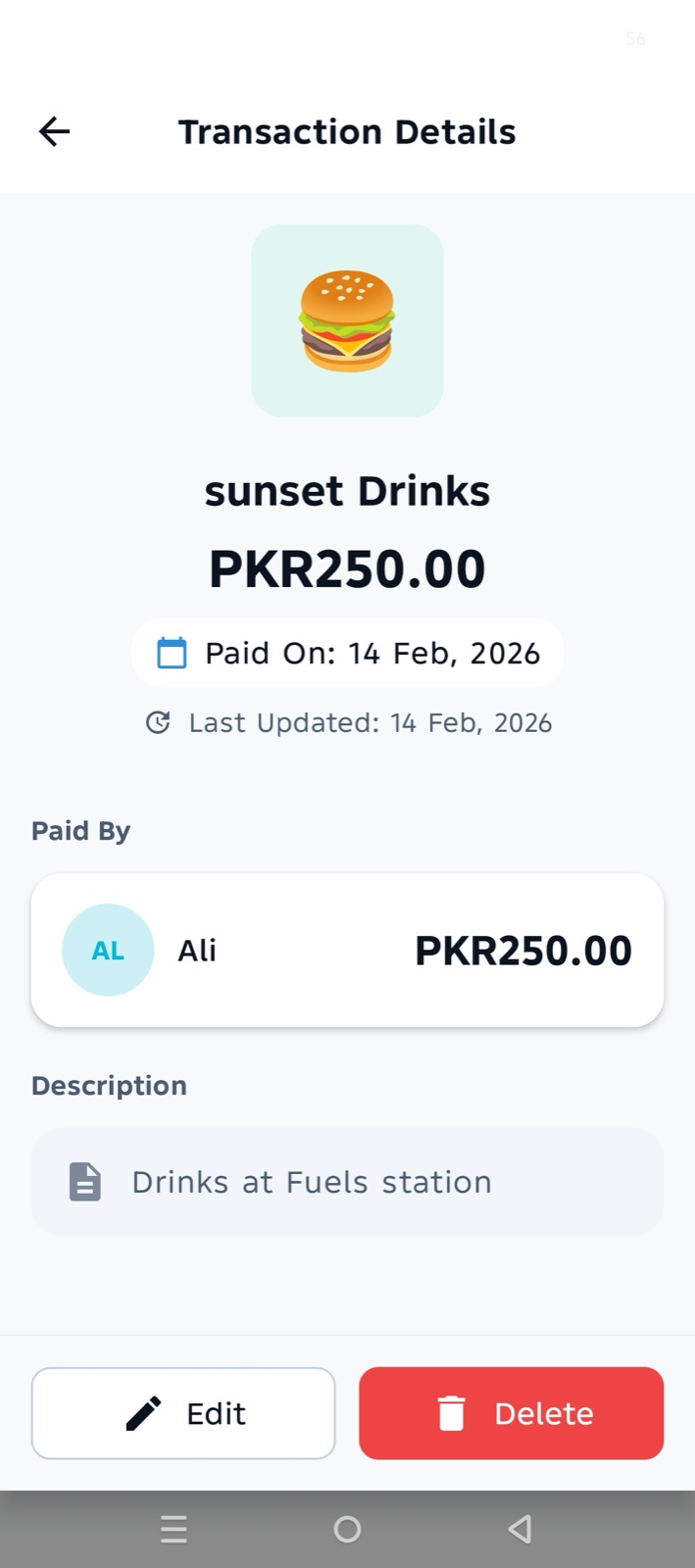
Each entry keeps a clear trail. Tapping it shows who paid, how it was split, the date it was paid, and when it was last updated. Only the person who added an entry can delete it, and once a khata has entries in it, members cannot simply leave it, so nobody can walk away from a shared record.
Works offline, syncs when you are back online
Trips are exactly when you lose signal. In Shared Khata, every expense you add is saved on your phone first, so you can keep recording the hisaab on a mountain road with no network. When the phone is back online, the app sends everything to the server automatically.
Behind the scenes, the server records each entry and updates the khata's balance together, in one step, and recognises an entry it has already received. That means a patchy connection cannot count the same expense twice or leave the balance half-updated.
Made for Pakistan, useful anywhere
- English and Urdu. Switch the whole app to Urdu from Settings, with a proper right-to-left layout.
- Your currency. PKR by default in Pakistan, with USD, AED, SAR, GBP and more for families and friends abroad.
- Light and dark mode.
- Free, with no ads. Shared Khata is free on Google Play.
Ideas for using Shared Khata
- Roommates and flatmates splitting rent, bijli, gas and internet bills.
- Students sharing hostel mess and grocery costs.
- Friends on a trip to Naran, Hunza or anywhere else, where one person often pays for the hotel and another for fuel.
- Families tracking shared household kharcha or the costs of an event.
- Colleagues keeping track of lunch and chai runs.
Running a shop instead? Shared Khata is for personal hisaab between friends and family. For customer credit at a shop counter, with bills, stock and receipts, see how the udhaar khata in Dukaan POS works.
Coming soon
Two things are built and being tested now:
- Group khatas with flexible splits. Split a bill equally, by exact amounts, or by percentage, with each member's balance shown separately and a settle-up suggestion that shows who should pay whom.
- Shared Khata on iPhone. The iOS version runs on the same shared code and will come to the App Store.
How I built it
Shared Khata is written in Kotlin with Compose Multiplatform, so the screens and business logic are shared between Android and iOS. Each phone keeps its own local database for offline use, and Firebase handles sign-in, the shared data and notifications, with a small server function that applies every change to a khata safely.
If you are planning a cross-platform app like this, I work as a Kotlin Multiplatform developer and mobile app developer. You can also see my other work in the projects section.
Frequently asked questions
Is Shared Khata free?
Yes. It is free to download from Google Play and has no ads.
Does it work without the internet?
Yes. You can add and view expenses offline, and they sync automatically when you are back online.
Can my friends see my other khatas?
No. People only see the khatas they are members of.
Is Shared Khata available on iPhone?
Not yet. It is available on Android now, and the iPhone version is coming to the App Store.
Can I use it in Urdu?
Yes. You can switch between English and Urdu at any time in Settings.
Summary
Splitting money should not cost you a friendship. Shared Khata gives the whole group one khata, one balance and one clear record of who paid, so the only conversation left is "Chalo, hisaab barabar."
Try it free on Google Play, and create your first khata with the people you split with most.