Multi-Branch POS Software: How Dukaan POS Runs Several Shops and Keeps Them in Sync
By Muhammad Waqas · · 6 min read
Opening a second shop changes the owner's job. You can no longer see the counter. Every evening becomes a round of phone calls: how much did you sell, how much cash is in the drawer, did the new price reach you? Prices drift apart between branches, and the numbers you get are whatever someone remembers to tell you.
This post explains how Dukaan POS handles multiple branches: how one product list reaches every shop, how each branch reports back, what the owner sees, and what stays private to each branch. It also explains why a branch never stops selling when the internet goes down.
The problem with running several shops
- Prices drift. The owner changes a price, and one branch hears about it a week later.
- The owner is blind. Without a shared view, the only way to know a branch's day is to ask.
- Shared databases need constant internet. Many multi-store systems keep everything in one online database, so a branch cannot sell when the connection drops.
- Staff see too much, or too little. Either every branch can change the product list, or nobody can see anything.
The design in one sentence
Every branch has its own database, and two narrow one-way channels connect them.
Each branch's device keeps its own sales, stock, cash and customers. That is why selling never waits for the internet: nothing a cashier does at the counter depends on another shop or a server. The two channels then carry only what needs to travel:
- The product list, from the owner to every branch.
- The daily numbers, from every branch back to the owner.
Neither channel carries what the other does. A branch never sends a product, and the owner never sends a sale. I built this with Kotlin Multiplatform and Firebase; the engineering side is covered in the Dukaan POS case study.
Channel one: one product list for every branch
The owner manages products, categories, the shop's name, the receipt wording and the tax rate on their own device. Whenever those change and the device is online, the changes are sent up automatically. Edits are grouped for a couple of seconds, so repricing four hundred products goes up as one update rather than four hundred.
When a branch receives the list
A branch fetches the latest list when it first joins, at every day close, when someone taps Get the product list now, when the shop profile is refreshed, and automatically if three days have passed without an update.
Never in the middle of a sale. A branch waits for an empty counter before applying new prices. Changing a price while a customer is watching their bill would change what they are charged in front of them.
What each branch keeps for itself
- Its own stock count. The owner's stock is never sent to branches, and a branch's count is never overwritten.
- Its own phone number and address, printed on its receipts, so a customer can call the shop they actually visited.
- Its own product photos, which stay on the device where they were taken.
Everything else follows the owner. If a branch somehow changed a product, the owner's version wins at the next update. There are no conflicts to resolve, because only the owner writes the list.
Channel two: each branch reports its day
When a branch closes the day, it sends one small summary to the owner's account. It contains figures, not records:
- The day's trade: takings, number of bills, and how it was paid (cash, card, credit and other), udhaar received, expenses, refunds and the cost of goods sold.
- The drawer: the cash counted and the cash expected.
- Balances: what customers owe the branch, what the branch owes suppliers, and the value of its stock.
No bill, customer name or product line is ever included. A branch can also send today's figures early with Back up to server now, and those are marked as not yet final until the day is closed.
Separately, when it closes the day, each device also uploads a compressed backup copy of its own database, kept for recovery. It is a safety net, not something the dashboard reads.
What the owner sees
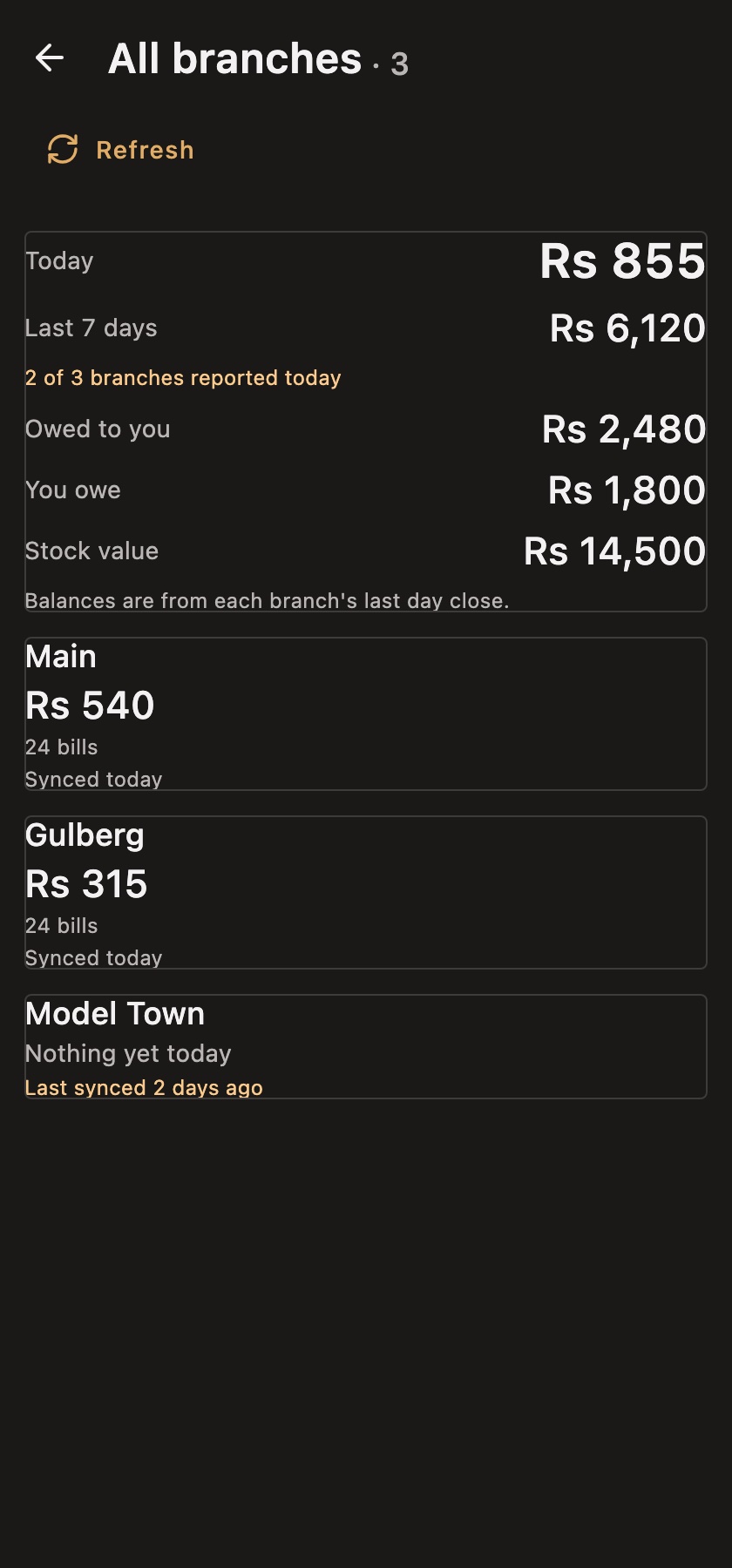
On the owner's device, All branches shows today's takings and the last seven days across every branch, with what customers owe, what the business owes suppliers, and total stock value. Below that, each branch has its own card.
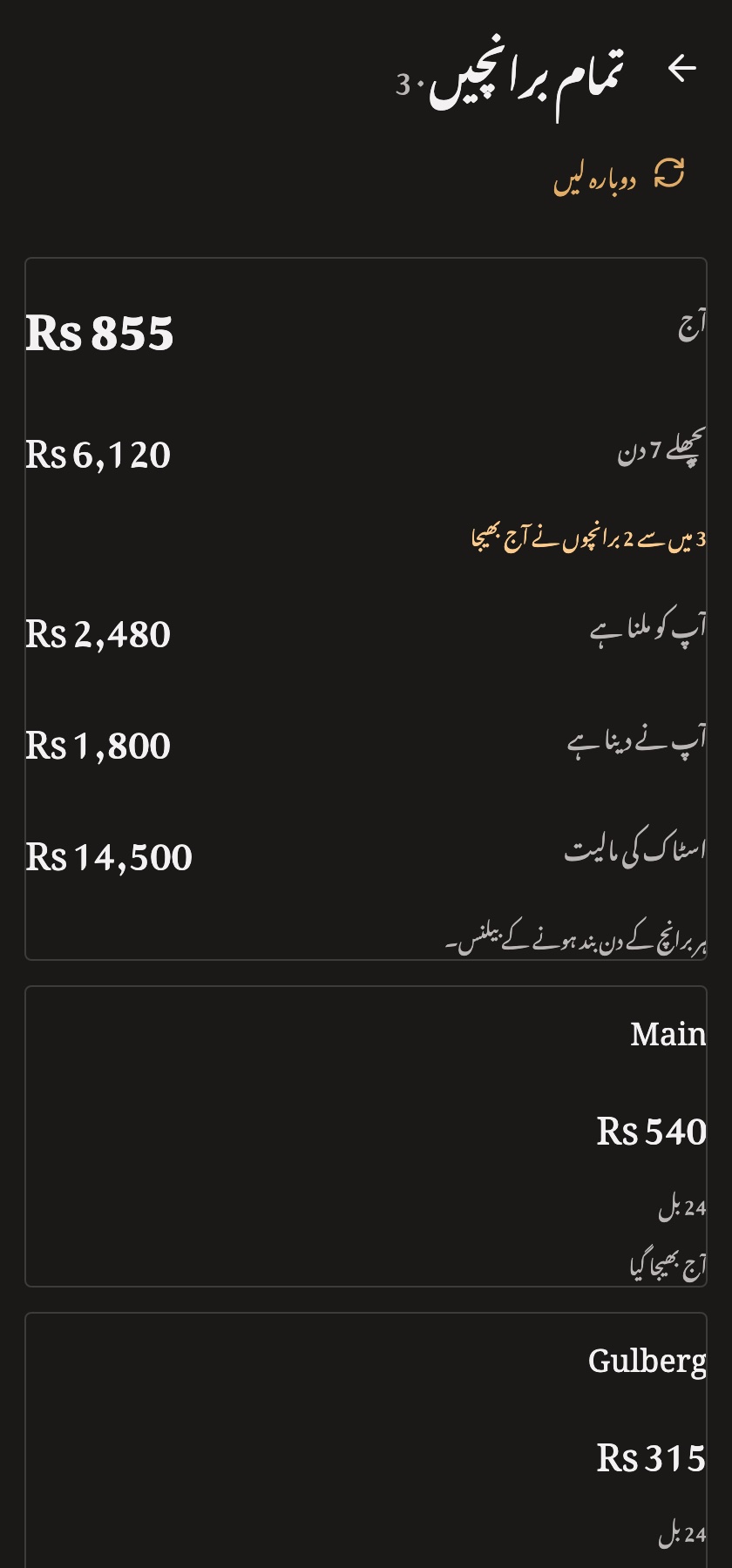
The most important line on this screen is the small one under the total: "2 of 3 branches reported today". A total is only as good as the number of branches in it. A wrong sum is easy to notice; a correct sum over three branches shown as if it were four is not. A branch that has gone quiet keeps its card, shows its last known figures, and says how long ago it last synced.
The dashboard opens instantly from the last saved figures, even offline, and checks the server once a day or whenever you tap Refresh.
A scoreboard, not a window. The owner sees each branch's daily figures, but not its individual bills, customers or udhaar ledger. That keeps customer details with the branch that serves them. If you need to watch every bill in every branch live, this design is not built for that.
What a branch can and cannot do
A branch does everything a shop does in a day: sell, refund, hold bills, print receipts, receive and count stock, track expiry, take and chase udhaar, record expenses, manage suppliers and deliveries, add its own cashiers, close the day, and back up.
What it cannot do is change what belongs to the owner: products, categories, prices, the shop name, receipt wording and tax rate. Those screens are read-only on a branch, with a Refresh button to fetch the owner's latest version. If a branch scans a barcode that is not in the list, it gets Quick sale instead of a new product, so the product list stays clean.
Bill numbers that never clash
Each branch has its own bill prefix of up to six characters, set by the owner. Main prints INV-, while Gulberg might print LHR1- and Model Town LHR2-. That way INV-42 never exists in four places at once, and anyone holding a receipt can tell which branch issued it. If the owner uses more than one device, the extra devices number their bills INV-2- and INV-3-.
How to set up branches
- On the owner's device, open Settings → Branches and tap Add branch. Give it a name and the prefix its bills will print.
- Create a login for that branch.
- On the branch's device, choose to join a shop and sign in with the branch login. The device downloads the product list and is ready to sell.
- Each branch sets its own phone number and address for its receipts.
A shop that has closed can be marked Closed and reopened later. Its bills, stock movements and udhaar history are kept, because that history really happened. A single shop never needs any of this; it simply runs as Main.
Current limits
- Every branch sells at the same prices; separate prices per branch are not built yet.
- Branches do not see each other's live stock.
- The owner's dashboard covers the last seven days.
- Syncing needs the internet, but only for syncing; selling never does.
Frequently asked questions
Can I manage several shops with one POS?
Yes. Dukaan POS lets the owner manage one product list for every branch and see each branch's daily figures on one dashboard.
What happens if a branch has no internet?
It keeps selling normally. Its daily summary is sent the next time it closes a day with a connection, and it receives any new prices then too.
Can the owner see every bill from every branch?
No. The owner sees daily totals and balances per branch, not individual bills or customer details.
Summary
Multi-branch software does not need one giant online database. Dukaan POS gives each shop its own offline database and connects them with two simple channels: prices out from the owner, figures back from the branches. The result is a counter that never waits for the internet and an owner who no longer has to phone every shop at closing time.
New to Dukaan POS? Start with the guide to POS software in Pakistan, or try the app in the live demo.
I designed and built Dukaan POS myself. If your business needs an app that keeps several locations in sync, I work as a mobile app developer; get in touch.